
Switching from paper stamp cards to digital: how to carry over existing stamps (2026)
The hard part of going digital is not the software, it is the customer with seven stamps on a dog-eared paper card. This guide gives you a four-week plan, a way to carry stamps over at the till and answers for the awkward cases.
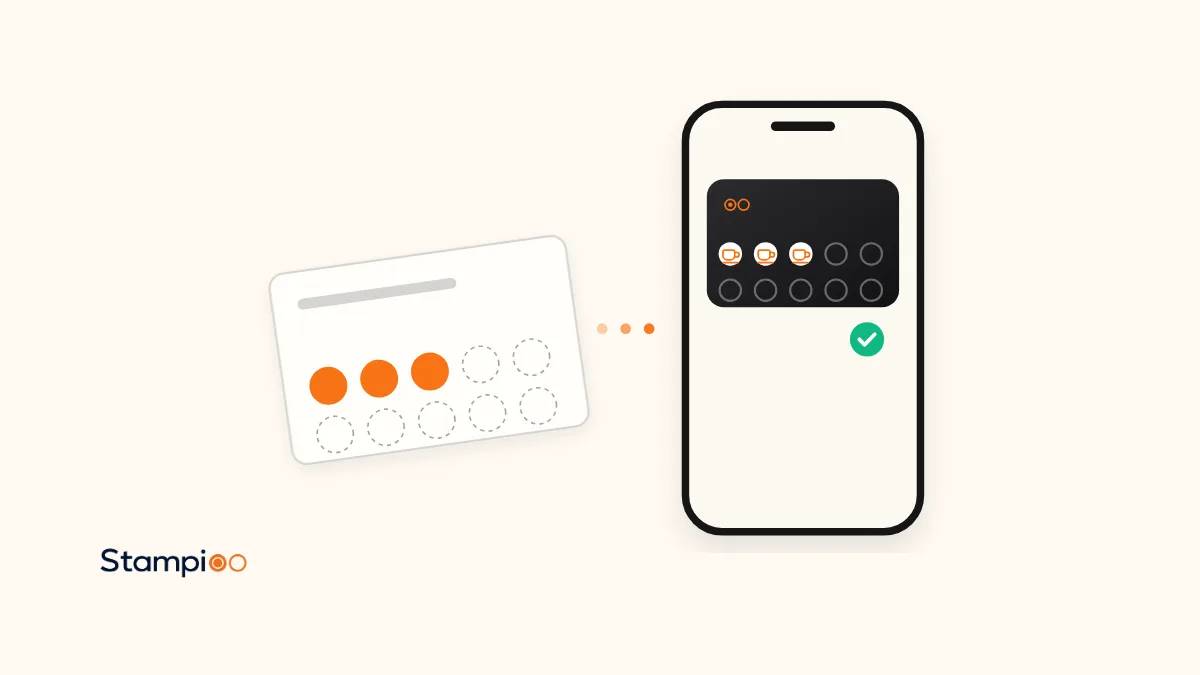
In short
- Run paper and digital side by side for four weeks, carry stamps over at the till, and stop paper on a printed date.
- Staff carry stamps over by scanning the new card and adding the number of stamps on the paper card in one go. Round up in the customer’s favour.
- Keep the same number of stamps as the paper card, because on a digital card that number is locked once cards are out.
- A counter sign that says the paper card is still valid until the cut-off date does more for goodwill than any migration bonus.
- With Stampioo the digital card goes into Apple Wallet or Google Wallet with no app, costs from €29 a month, and staff stamp with the phone they already have.
If you have read our comparison of digital and paper stamp cards and decided to switch, this is the next step: how to do it without losing the regulars who are halfway to a reward. What people call a digital stamp card we call a loyalty card, and the mechanics are the same: a card, stamps, a reward. The difference is that the card now lives in the customer’s phone, so you cannot simply hand out a new one and hope. The customers who care most about your loyalty programme are the ones with stamps on paper right now, and they are the ones a clumsy switch annoys.
This guide is written by Stampioo, which sells a digital loyalty card, so the software steps below describe how it works in our dashboard and scanner. The plan itself, the counter sign and the rules for carrying stamps over work with any digital stamp card tool that lets staff add more than one stamp at a time.
Decide three things before you start
- The number of stamps. Keep it the same as the paper card. On a digital card the number is locked once the first cards are issued (the reward, terms and design stay editable), so this is the one decision you cannot undo. If the paper card had ten stamps, the digital card has ten and every paper stamp becomes one digital stamp. Stampioo allows 2 to 20 stamps per card, which covers every paper card we have seen.
- The cut-off date. Pick the day paper cards stop being accepted and print it on the sign. Four weeks suits a café, a bakery or a lunch place where regulars come weekly. Eight to twelve weeks suits a hair salon, a car wash or a dog groomer, where a visit a month is normal.
- The transfer rule. The simplest rule, and the one we recommend: every stamp on paper becomes a stamp on the digital card, rounding up anything unclear in the customer’s favour. A migration bonus (one extra stamp for switching) is optional. It speeds things up in the first week but it costs you a stamp per customer, so use it only if uptake is slow.
The four-week plan
Week 1: set up the card and print the counter sign
Create the loyalty programme with the same number of stamps and the same reward as the paper card, so nobody has to learn new rules. Print the QR code for the counter and, if you want, a card-shaped version with the loyalty card maker. The counter kit gives you a printable stand with the QR code. Add a second line to the sign in your own words: paper cards are valid until the cut-off date, bring yours in and we will move your stamps. Let staff save a card to their own phones first, so they have seen both sides of a scan before a customer asks. With Stampioo this whole week fits inside the 30-day free trial, so the card is set up, printed and tested before you pay anything.
Week 2: run both cards and carry stamps over at the till
Every customer who shows a paper card is asked once: shall we move your stamps to your phone? If yes, they scan the QR code, save the card to Apple Wallet or Google Wallet, and staff scan the new card and add the number of stamps on the paper card in one go. Keep the paper card and tear it or mark it so it cannot be used twice. If no, stamp the paper card as usual and mention the cut-off date. Do not argue at the till. Some people switch on the third visit.
Week 3: last call
Change the sign to a last-call message with the date, and ask staff to mention it to every paper-card customer. This is the week to use the migration bonus if you decided to have one. Look at the dashboard: the number of cards issued tells you how far you are, and it is usually most of the regulars by now.
Week 4: paper ends
On the cut-off date the paper card stops earning stamps. Still accept it for one thing: carrying stamps over to a digital card, for as long as you like. That costs you nothing and it means nobody who turns up late is punished. Remove the old stamp from the counter so staff are not tempted, and keep a few blank paper cards in a drawer for the customer without a smartphone (see below).
How to carry stamps over, step by step
With Stampioo the transfer is one scan. The customer saves the card, staff open the scanner in the browser, point the camera at the QR code on the customer’s new card, change the number of stamps from one to whatever the paper card shows, and confirm. The card in the customer’s Wallet updates on the spot and they get a notification. If the paper card had enough stamps for a reward, the scanner shows the reward and staff can redeem it in the same step; the next card starts automatically.
Two details make this painless. First, the number of stamps per scan is chosen at the till, so a customer with seven stamps gets seven in one go, and a customer who bought four coffees for colleagues can get four. Second, if a scan was forgotten or the customer left before the transfer, stamps can be added afterwards from the customer list with a short reason, such as “paper card, 6 stamps”. The reason is visible only to your team, and the change appears in the customer’s history and in the activity log, so you can see who moved what.
The counter sign and what to tell regulars
The sign does three jobs: it shows the QR code, it says paper cards are still valid until a date, and it says what happens to existing stamps. Three lines are enough. “Our stamp card is now on your phone. Scan to save it. Paper cards valid until 30 November, bring yours in and we will move your stamps.” Print the date large. A sign without a date is read as “they are getting rid of the stamp card”, which is the opposite of what you want.
What staff say matters more than the sign. Give them one sentence and one answer. The sentence: “We have moved the stamp card to your phone, shall I move your stamps over?” The answer, for the customer who hesitates: “No app, it goes in your Wallet, and you keep the stamps you have.” Regulars rarely object to the card itself. They object to losing stamps, and to being sold something at the till. Both are answered in that one exchange.
The awkward cases
The customer with nine of ten stamps
Move all nine over. On the next visit the reward is redeemed from the digital card, and from then on the customer collects on the phone. Do not redeem the reward early as a shortcut. The customer who was one visit away comes back for that visit, and that visit is where they see the new card working.
The customer with two paper cards
Add the stamps from both to the one digital card. If the total is more than one card holds, redeem one reward now and carry the rest over. A customer with two half-full cards usually lost the first one for a while, and the goodwill of combining them is worth more than the stamps.
The lost paper card
There is nothing to carry over, and the customer knows it. Offer the digital card with a fresh start. If a regular you recognise says they had a nearly full card, decide once what you do and apply it to everyone: most owners give a few stamps and move on, because there is no way to check and the customer is standing in front of you. This is the one situation a digital card ends for good: a card in the Wallet is not lost, and if the customer changes phone they scan your QR code again and staff put the stamps back.
Staff who forget
In the first week someone will stamp the paper card out of habit, or forget to add the stamps after a transfer. Both are fixed afterwards: add the missing stamps from the customer list with a reason, or remove stamps added by mistake under Corrections in the scanner. The activity log shows every change with the account that made it, so a mix-up on a busy Saturday can be sorted on Monday. Every team member has their own Stampioo login (3 on Starter, 10 on Pro), which is also what keeps the log honest; our guide on whether a digital stamp card can be cheated goes through the staff-side controls.
The customer without a smartphone
Keep a small stack of paper cards for this customer and say so on the staff note. It is a handful of people, they are often long-standing regulars, and the cost of a few paper cards is nothing. A digital card needs Apple Wallet or Google Wallet, which in practice means an iPhone or an Android phone with a Google account.
Run both for four weeks, or cut over in a day?
| Run both for 4 weeks | Hard cut-over | |
|---|---|---|
| Stamps on paper | Carried over at the till | Lost, or a flat bonus for everyone |
| Risk to regulars | Low | High for anyone mid-card |
| Staff effort | One extra question per visit for a month | One busy launch day |
| Best for | Cafés, salons, any business with regulars | New businesses, pop-ups, very few cards out |
| Sign on the counter | QR code plus cut-off date | QR code only |
A hard cut-over only makes sense when few paper cards are in circulation, for example a programme that started a month ago, or a seasonal stall reopening. Everyone else should run both. The month of overlap is also the month in which the digital card proves itself: staff get used to the scanner, customers see the notification when a stamp lands, and you watch the number of cards grow in the dashboard.
After the switch
Once paper is gone, the loyalty programme starts doing things paper never could. Stamps and rewards update on the card in Apple Wallet and Google Wallet the moment staff scan, customers can get a reminder on the lock screen when they are near your door, and you can see how many cards are out, how many stamps are given and how many rewards are redeemed. Nothing here needs a customer app, a card reader or a change to your till. Plans start at €29 a month excluding VAT, with pricing and what each plan includes on one page.
Set up the digital card before you print the sign
Create your loyalty programme with the same stamps and reward as your paper card, print the QR code and try the transfer on your own phone. 30 days free, no card details.
Try free for 30 daysFrequently asked questions
Can I give a customer several stamps at once on the new card?
Yes. In the Stampioo scanner, staff choose how many stamps to add before confirming, so a customer with seven paper stamps gets seven digital stamps in one scan. Stamps can also be added later from the customer list with a reason, and that change shows in the activity log.
What if a customer has two paper cards?
Add the stamps from both cards to one digital card, up to the number of stamps your card has. If the total is more than one card holds, redeem one reward on the spot and carry the rest over. Decide this rule before launch day so every member of staff gives the same answer.
What happens to a customer who has nine of ten stamps on paper?
Carry all nine over. The customer gets the reward on their next visit, exactly as they would have on paper, and leaves with a digital card that already has a full history. Treating these customers well is the whole point of running both cards side by side for a few weeks.
How long should we accept paper cards after going digital?
Four weeks is enough for most cafés and salons, because the customers who matter come in at least that often. Businesses with monthly visits, such as a hairdresser or a car wash, should allow eight to twelve weeks. Print the cut-off date on the counter sign and stop on that date.
Do we need to collect customer details to carry stamps over?
No. The customer scans your QR code, chooses what to share and saves the card to Apple Wallet or Google Wallet. Staff then scan the new card and add the stamps. Which details you ask for, if any, is your decision when you set up the programme.
Can we change the number of stamps once the digital card is live?
Not after the first cards have been handed out. With Stampioo the reward, the terms and the design can be changed at any time, but the number of stamps (2 to 20) is locked once cards are issued. If your paper card had ten stamps, keep ten, so stamps carry over one to one.
Product facts about Stampioo (scanner, corrections, activity log, stamp limits, Wallet requirements) are taken from the feature pages below, checked 3 November 2026.
Keep reading
Launch your loyalty programme this week.
Start with a 30-day free trial.
Create my card for freeSet up in minutes · Cancel anytime