
Apple Wallet loyalty card for small business: setup guide (2026)
An Apple Wallet loyalty card is a pass, not an app, and a small business can issue one without a developer. This guide walks through the customer flow tap by tap, what the lock screen shows and when, what you control, what it costs and what Apple’s own documentation says does not work.
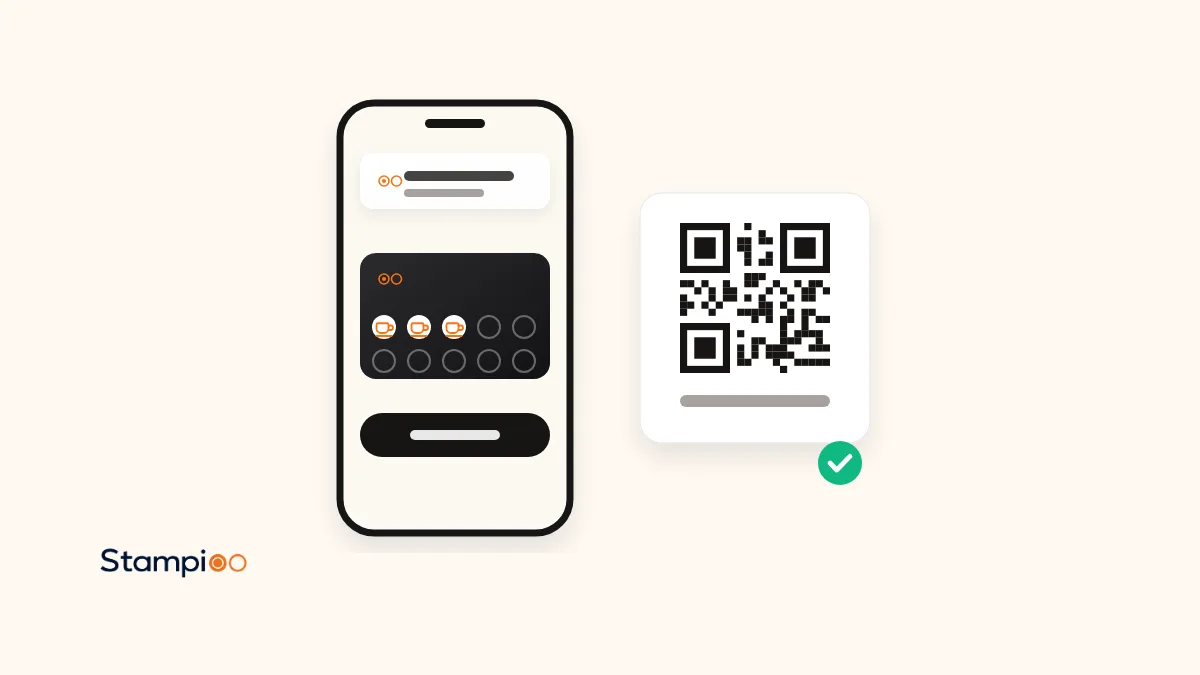
In short
- An Apple Wallet loyalty card is a pass in the Wallet app that is already on every iPhone. Customers download nothing and create no account.
- You do not need a developer. Tools such as Stampioo sign the pass for you; you design the card, print a QR code and staff stamp with a phone.
- Apple’s documentation lets a pass appear on the lock screen at up to 10 locations and on a relevant date, and send a notification when a field such as the stamp count changes.
- What does not work: an Apple pass cannot move to Android, a deleted pass is removed from all of the customer’s devices, and a lost phone means a new card.
- With Stampioo an Apple Wallet loyalty card costs from €29 a month excluding VAT, with Google Wallet included, and the first 30 days are free without card details.
Most of the guides that rank for this topic are written by people who want to sell you a loyalty tool, and so is this one: Stampioo makes one. What we have tried to do differently is to take every claim about how Apple Wallet behaves from Apple’s own user guide and developer documentation, read on 3 November 2026, and to say “not documented” where Apple does not say. Where a feature is Stampioo’s rather than Apple’s, the text says so.
What many people search for as an Apple Wallet stamp card or punch card is, in Apple’s words, a pass, and in ours a loyalty card in Apple Wallet and Google Wallet. If you want the whole picture across both platforms first, read our overview of stamp cards in Apple Wallet and Google Wallet. This guide goes deeper on the iPhone side; the Android side has its own guide on Google Wallet loyalty cards on Android.
What an Apple Wallet loyalty card is, and is not
Apple’s user guide describes Wallet as the place for eligible credit and debit cards, passes, transit cards, identity cards and keys, and says you can add cards and passes directly from apps, emails and websites. A loyalty card is one of those passes: a small signed file with your logo, your colours, a barcode or QR code, a few fields on the front (stamps, reward) and text on the back (terms, contact details). It is not an app. There is nothing in the App Store, no icon on the home screen and no login.
The pass belongs to the issuer, which is the loyalty tool you use. That matters for two reasons. First, the issuer can update the pass remotely, which is how a stamp appears on the customer’s phone seconds after your staff scan it; Apple documents this as a web service the issuer runs. Second, if you leave that tool, the passes it issued do not follow you to the next one. Customers would save a new card.
Do you need a developer?
Only if you want to build the pass yourself. Apple requires passes to be signed with a certificate from an Apple Developer account, and the issuer has to run the update service and the push notifications. A loyalty tool does all of that for every business on its platform, so you never see a certificate. The table shows the two routes.
| Route | Who it suits | What you need | Time to first card | Cost |
|---|---|---|---|---|
| A loyalty tool (Stampioo, Loopy Loyalty, StampyWallet) | A café, salon, restaurant or shop | A dashboard login and a printer for the QR code | Minutes | A monthly subscription; Stampioo from €29 |
| Build your own (PassKit or Apple’s PassKit framework) | A company with a developer and its own app or system | An Apple Developer account, a signing certificate, a server for updates and push | Days to weeks | Developer time; PassKit charges per pass after an allowance |
For the rest of this guide we assume the first route. If you are the second kind of business, our Stampioo vs PassKit comparison sets out where a platform beats a finished product.
How the customer adds the card, step by step
The flow below is Stampioo’s. Other Wallet-based tools work the same way with small differences in the form. Apple’s part starts at step 3, where the user guide says to look for “Add to Apple Wallet” in an app, email, message or web page.
The customer scans your QR code
With the iPhone camera, no special app. The code sits on a counter sign, a table tent, the menu or the receipt. The camera shows a link; the customer taps it.
A short form opens in Safari
Name, and whatever else you have chosen to ask for: email, phone number, birthday. The customer accepts your terms. This is where your customer list comes from.
Add to Apple Wallet
The customer taps the black Add to Apple Wallet button. Wallet opens with a preview of the card: your logo, colours and the empty stamps.
Tap Add in the top corner
Only now is the pass saved. This is the step people miss: they see the preview, assume it is done, and close the screen. Mention it at the till for the first weeks.
The first stamp
Your staff open the scanner in the browser on any phone and scan the QR code on the customer’s card. The stamp count on the pass updates and the customer gets a notification.
What the lock screen shows, and when
This is the part that makes a Wallet card different from a browser card or an app nobody opens. Apple’s developer documentation describes three ways a pass can reach the lock screen.
A notification when something on the card changes
The issuer can mark a field on the pass so that a change to it, such as the number of stamps or the reward text, produces a notification with a message the issuer writes. Apple’s user guide says the customer can then tap the notification on the lock screen to open the pass. The customer can adjust notification settings per pass in Wallet, so some customers will have them off.
The pass itself when the customer is nearby
A pass can carry up to 10 locations, each with an optional line of text explaining why the pass is relevant (“Store nearby on 3rd and Main” in Apple’s example). When the phone is near one of them, the system can show the pass on the lock screen. Apple does not publish the exact distance; the developer documentation lets the issuer set a maximum distance in metres, and the system uses the smaller of that and its own default. With Stampioo you add your business address and the reminder is included in every plan; if you have more than 10 locations you choose which ten.
The pass on a relevant date
Boarding passes, event tickets and generic passes can carry a relevant date. Store cards, which is what most loyalty cards are, use locations rather than dates, so a loyalty card does not pop up on a date of its own. Apple notes that if both a date and locations are set, both must match.
Two limits from Apple’s side are worth knowing. The user guide lists a per-item setting called Suggest on Lock Screen, so a customer can switch location suggestions off for your card alone. And Apple’s documentation says the Simulator does not show passes on the lock screen, which is why any tool worth using tests this on real phones.
Updates and push messages
Apple documents a web service that the issuer runs to update passes: when something on a pass changes, the issuer sends a push to the phone, the phone fetches the new pass, and Wallet replaces the old one silently. For a loyalty card that means three kinds of update reach the customer without them doing anything: a new stamp, a redeemed reward with a fresh card, and a changed reward text, terms or design.
Campaigns use the same channel. With Stampioo, targeted push campaigns are included on Pro (10 a month) and Enterprise (unlimited), and reach the customers who have saved the card and allowed notifications. Apple does not publish a cap on the number of pass updates per day; Google does, as the Android guide explains, so plan one well-timed campaign a day rather than several. What the notification looks like on each phone and how many get through is the subject of our guide to Wallet push notifications for loyalty cards.
What you control
- The programme name and the language the card is written in.
- The number of stamps, from 2 to 20, and the reward. With Stampioo the stamp count locks once the first cards are issued; reward, terms and design stay editable.
- Colours, stamp icon and logo. Apple renders the pass with the background and foreground colours the issuer sets.
- The text on the back of the pass: terms, opening hours, a link to your site.
- Which details you ask for in the form. Fewer fields means more completed sign-ups.
- Up to 10 locations for lock-screen reminders, with your own line of text per location on iPhone.
Not sure how many stamps or how big a reward? Our reward calculator works it out from your margin, and the loyalty card maker lets you try designs before you sign up for anything.
What it costs
For the customer, nothing. For you, Stampioo costs €29 a month excluding VAT on Starter (one programme, one location, three team members) or €23 a month billed yearly, and €49 on Pro (five programmes, five locations, ten team members, campaigns). Apple Wallet and Google Wallet, unlimited customers and scans, and nearby reminders are on every plan, and the first 30 days are free with no card details. See what each plan includes. Apple itself charges the business nothing per pass. The exception is the developer route: PassKit includes 250 multi-use passes in its platform fee and charges per pass beyond that, so the cost of a growing customer list is open-ended there.
What does not work, according to Apple
An Apple pass on an Android phone
A pass is specific to Apple Wallet. A customer who moves to Android does not take it along; they scan your QR code again and save a Google Wallet card, which the same tools issue from the same programme. With Stampioo your staff can add the previous stamps back by hand.
A deleted pass
Apple’s guide is explicit: if you delete a pass on your iPhone, it is permanently removed from Apple Wallet on your other devices. There is no undo from the business side. The customer scans the code again and starts a new card, and you decide whether to restore the stamps.
A lost or replaced phone
Apple’s pages on Wallet do not describe restoring third-party passes to a new iPhone, so treat a replacement phone as a new start: scan again, stamps restored by staff if your tool keeps the history. Stampioo keeps it in the dashboard.
Apple Watch
Apple says many cards and passes in Wallet on iPhone are also available on Apple Watch. Whether a particular loyalty card shows on the watch depends on the issuer, so test it with your own tool rather than promising it to customers.
Five tools that issue Apple Wallet loyalty cards
All five below put a real pass in Apple Wallet. The differences are on the Android side, in whether the customer needs an app, and in price. Prices are as each vendor shows them on its own pricing page, checked 3 November 2026, with no currency conversion.
| Tool | Customer app | Apple Wallet | Google Wallet | From | Trial |
|---|---|---|---|---|---|
| Stampioo | No | Yes | Yes | €29/mo | 30 days, no card |
| Loopy Loyalty | No | Yes | Yes | $25/mo | 15 days |
| StampyWallet | No | Yes | Yes | €20/mo | 30 days, no card |
| PassKit | No (you build the flow) | Yes | Yes | $39.50/mo + per pass | 45 days |
| Square Loyalty | No, needs Square POS | Yes | No | £25/location (UK) | 30 days |
Stamp Me is not in the table because only the customer’s member-code barcode can be saved to Wallet, not the card itself. For a wider comparison of ten tools see our Loopy Loyalty alternatives page.
Launch checklist for an iPhone-heavy customer base
- Print the QR code at the till and on the menu, and a small sign with the two taps: Add to Apple Wallet, then Add.
- Add your address so the nearby reminder works, and write the one-line text customers will see on the lock screen.
- Test on a real iPhone: save the card, have a colleague stamp it, check the notification arrives and the lock screen shows the pass near the shop.
- Tell customers the card lives in Wallet next to their payment cards, so they know where to look.
- Decide now how many stamps the card has. With Stampioo it cannot be changed once cards are out.
See your own loyalty card in Apple Wallet today
Design the card, print the QR code and save it to your iPhone. 30 days free, no card details, Google Wallet included.
Try free for 30 daysFrequently asked questions
Do I need a developer or an Apple Developer account to issue an Apple Wallet loyalty card?
Not if you use a loyalty tool. Stampioo, Loopy Loyalty and StampyWallet hold the Apple certificates and sign the passes for you; you design the card in a dashboard and print a QR code. You only need a developer and your own Apple Developer account if you build passes yourself, for example on PassKit’s platform.
Does the customer need an app or an Apple account?
No app. The card is a pass in the Wallet app that is already on every iPhone. Apple’s guide says you may be asked to sign in to your Apple Account when adding some items in the Wallet app itself, but a loyalty pass opened from a link is added with a single tap on Add.
What shows on the customer’s lock screen?
Three things, according to Apple’s documentation: a notification when a field on the pass changes, such as the number of stamps; the pass itself when the customer is near one of up to 10 locations stored on the pass, with a line of text the issuer writes per location; and the pass on a relevant date if one is set. The customer can turn the location suggestion off per pass under Suggest on Lock Screen.
Can the card move from an iPhone to an Android phone?
No. An Apple Wallet pass only lives in Apple Wallet. A customer who switches to Android scans your QR code again and saves a new card in Google Wallet, and with Stampioo your staff add the old stamps back by hand in the dashboard.
What does an Apple Wallet loyalty card cost?
Nothing for the customer. For the business, Stampioo costs from €29 a month excluding VAT, or €23 a month billed yearly, with Apple Wallet and Google Wallet cards, unlimited customers and a 30-day trial without card details. Apple charges the business nothing per pass; PassKit, which sells to developers, charges per pass after an included allowance.
What happens if the customer deletes the card or loses the phone?
Apple says a pass deleted on one iPhone is permanently removed from Apple Wallet on the customer’s other devices. A lost phone takes the pass with it. In both cases the customer scans your QR code again for a new card, and you can add the stamps back by hand if you can see their history in your dashboard.
Apple Wallet behaviour is taken from Apple’s user guide and developer documentation, read on 3 November 2026. Vendor prices were checked on their own pricing pages the same day.
- Apple: Set up cards and passes in Wallet on iPhone
- Apple: Use passes, cards, and keys in Wallet on iPhone
- Apple: Manage passes, cards, and keys in Wallet on iPhone
- Apple Developer: Showing a pass on the lock screen
- Apple Developer: Pass (locations, maxDistance, colours)
- Apple Developer: Adding a web service to update passes
- Apple Developer: PassFieldContent (changeMessage)
- stampioo.com/pricing
- loopyloyalty.com/pricing
- stampywallet.com/en
- passkit.com/pricing
- squareup.com/gb/en/software/loyalty
Keep reading
Launch your loyalty programme this week.
Start with a 30-day free trial.
Create my card for freeSet up in minutes · Cancel anytime