
Get more Google reviews. Let the loyalty card ask for you.
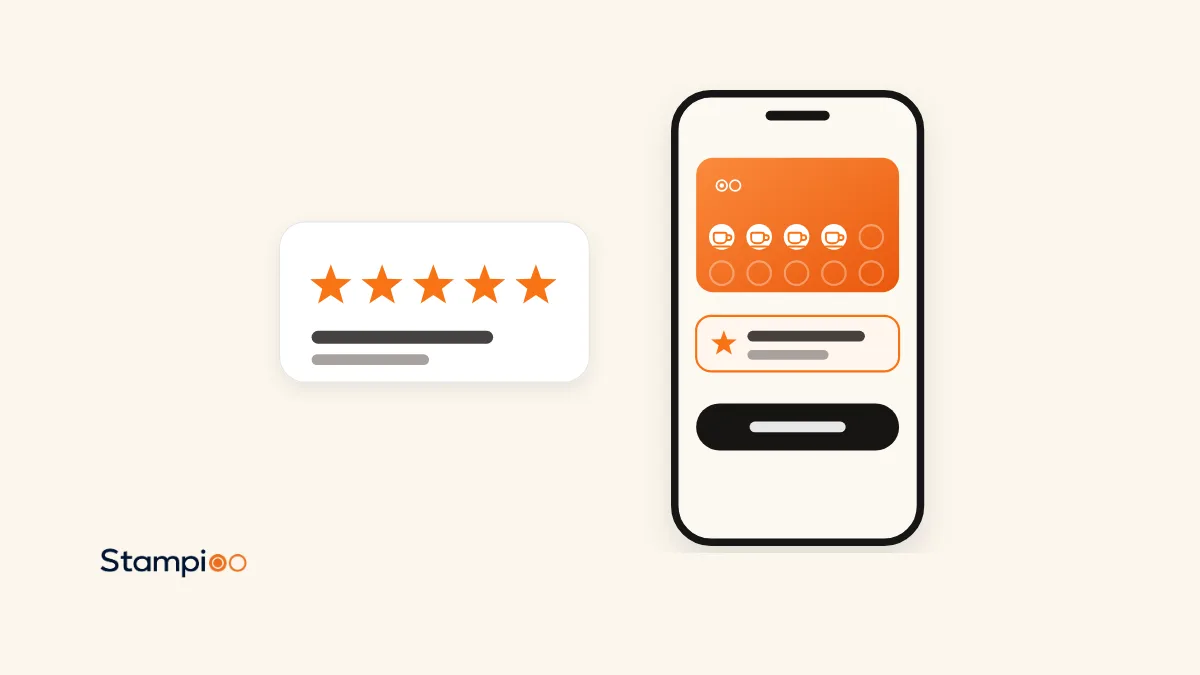
Your regulars already come back. With Pro, their loyalty card asks for a review on Google at a moment you choose, automatically and within Google's rules. Nobody has to remember to ask at the till.
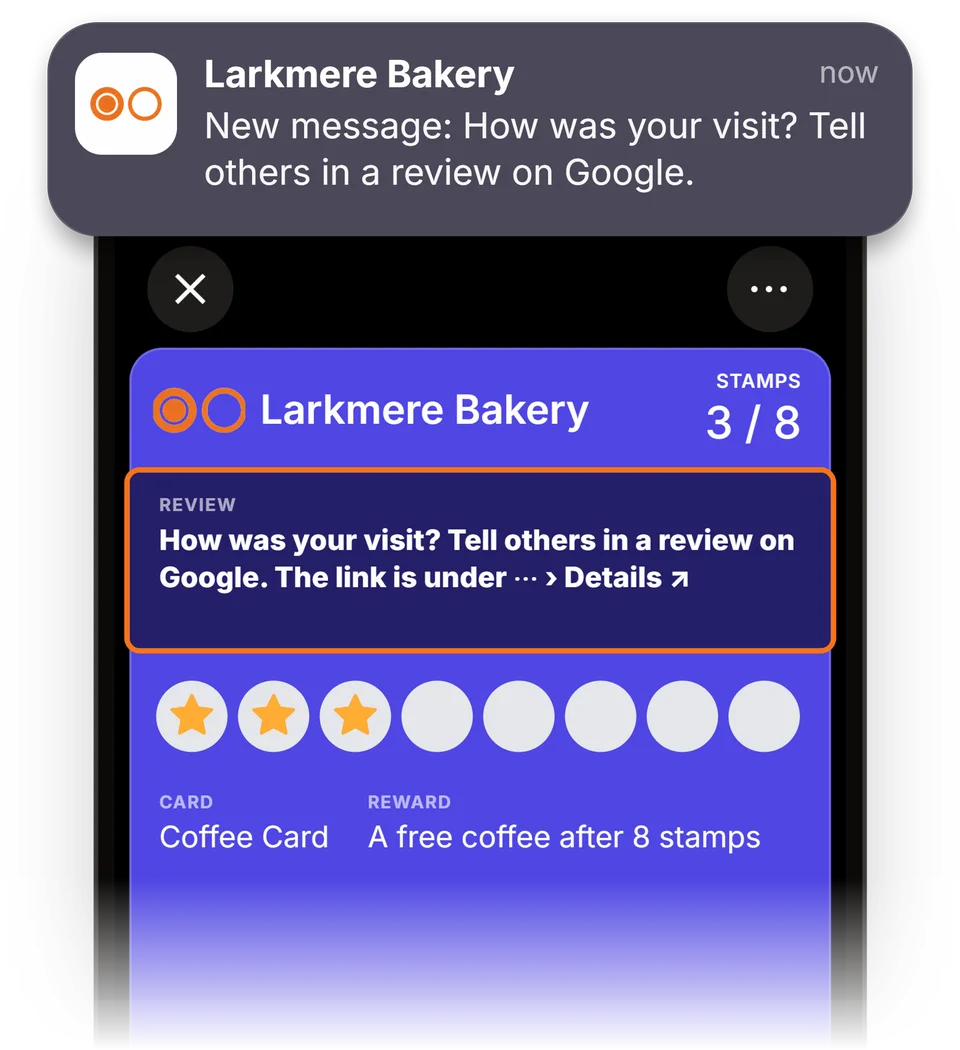
In short
With Stampioo, your customers get a digital loyalty card in Apple Wallet and Google Wallet. On every plan, the card has a link to your Google reviews. On Pro, the card also asks the customer for a review after the visit or reward you choose. Everyone who reaches the same point gets the same review request, at most once every 90 days for the same card. Pro costs from €49 per month excluding VAT.
Your regulars keep coming back, but they rarely write a review
It doesn't cross their mind
Most people who like your place never write about it. By the time they get home, they've forgotten.
Asking feels pushy
There's a queue at the till, and many staff find it awkward to ask for a review while the customer is paying.
A sign is easy to walk past
A QR code on the counter reaches whoever spots it, but many regulars never look that way.
Yet your Google reviews are often the first thing a new customer sees, in the search results and on Google Maps. The people who know your place best are the ones who keep coming back, and they are the ones the loyalty card reaches.
How the loyalty card helps you get more Google reviews
The review request takes care of itself
Nobody on your team has to remember to ask, and nobody has to feel pushy. The card asks for the review after the visit or reward you've chosen.
While the visit is fresh
The request arrives as soon as the customer gets their stamp or reward, not in an email the next day. They remember the visit, and their phone is often still in their hand.
On the card they already carry
The request appears on the loyalty card in Apple Wallet or Google Wallet. No app, no email and no text message, and the link takes them via a simple page to Google's review form.
You choose the moment
Let the card ask after a particular visit, such as the third, or when the customer redeems their reward. You pick one of the two for each loyalty programme.
Within Google's rules, always
Everyone who reaches the same point gets the same request. Nothing in return for the review, no picking who gets asked, one request every 90 days at most and never again after a no. That keeps your Google profile safe.
See how many go on to Google
Your analytics show, per loyalty programme, how many customers got a review request and how many went on to Google.
What your customer sees
Three steps, all on the loyalty card that's already on the customer's phone.
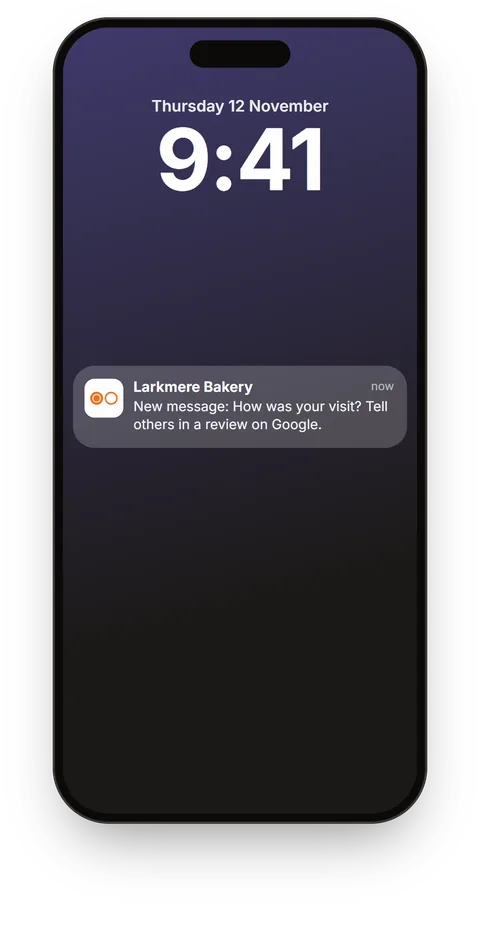
A message after the visit
Once your staff have stamped the card, the customer gets a review request from your place.
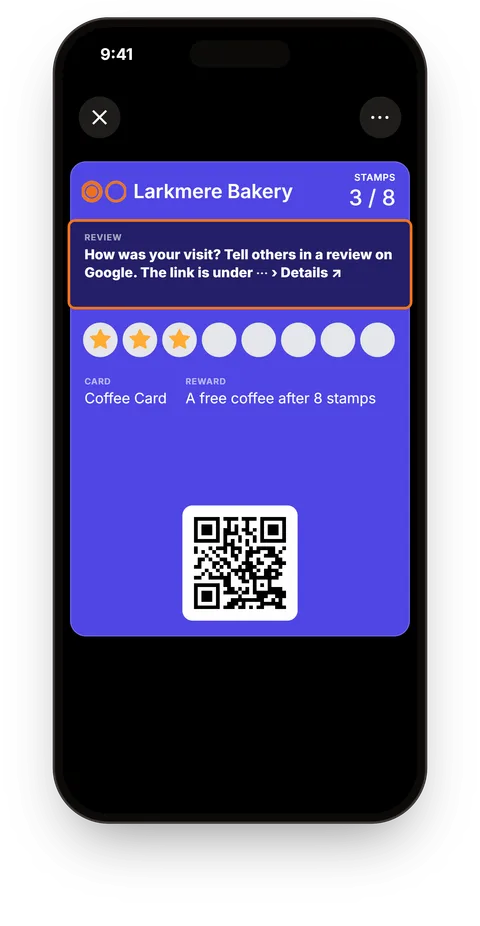
The review request on the card
The request stays on the card for up to a day. The customer taps through to a simple page and from there to Google.
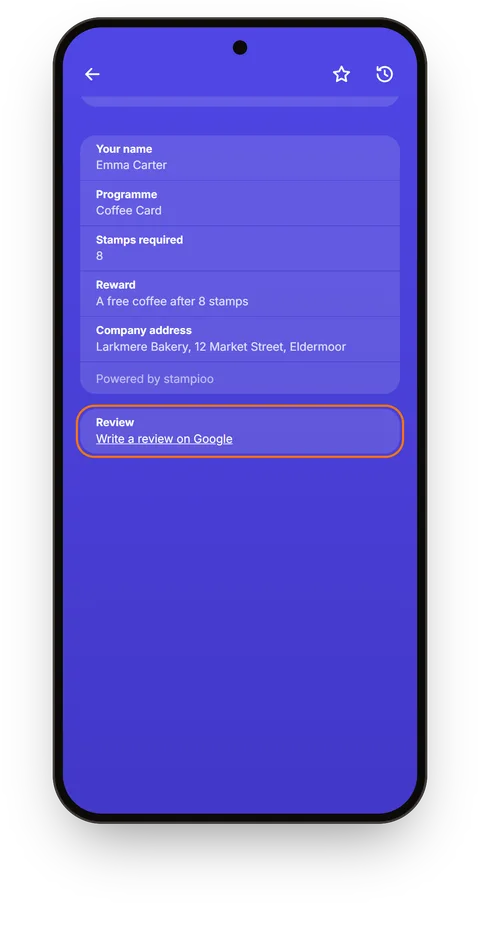
The link stays in the card's details
Once the request has disappeared, the link stays in the card's details, on every plan. The customer can write their review whenever it suits them.
Example screens. Whether and how the message appears depends on the customer's phone.
Ask in person, put up a sign or let the card ask?
Three ways to ask for Google reviews. They work well together.
| Ask at the till | Sign with a QR code | The card asks (Pro) | |
|---|---|---|---|
| When the customer is asked | Ask at the till: When someone remembers | Sign with a QR code: When the customer notices the sign | The card asks (Pro): After the visit or reward you've chosen |
| What it asks of your staff | Ask at the till: Asking every customer, even when there's a queue | Sign with a QR code: Nothing, once the sign is up | The card asks (Pro): Nothing beyond stamping as usual |
| Can you see how it's going? | Ask at the till: No | Sign with a QR code: No | The card asks (Pro): Yes, how many got the request and how many went on to Google |
The sign also reaches customers who don't have a card. Make a free Google review QR code with our tool, and let the card ask your regulars.
When should the card ask? Examples from six kinds of business
You choose one moment per loyalty programme: a particular visit or a redeemed reward.
Café
After the third visit on a card with eight stamps. By then the customer has become a regular and is standing there with their coffee in hand.
Loyalty programme for cafésRestaurant
When the guest redeems their reward, for example a dessert after five visits. The request arrives at the same moment as the reward.
Loyalty programme for restaurantsBakery
After the fourth visit on a card with ten stamps. The customer is heading out with their bread under their arm.
Loyalty programme for bakeriesHair salon
After the second visit. The client has chosen to come back, and the cut is brand new.
Loyalty programme for hair salonsBeauty salon
After the third visit, when the treatment has just finished and the result shows.
Loyalty programme for beauty salonsCar wash
When the customer redeems their free wash. By then they have washed their car with you several times and know what they think.
Loyalty programme for car washes and valetingThe link is always included. With Pro, the card asks for the review.
Every plan puts a review link on the back of the card. With Pro, the card also asks for the review at the moment you choose.
Starter
A link on the back of the card
- Link to your Google reviews in the card's details
- Customers use it when they think of it themselves
Pro
The card asks for the review for you
- The review request goes out automatically after the visit or reward you choose
- Google's rules built in: everyone who reaches the same point gets the same request, at most once every 90 days
- Analytics on how many go on to Google
- From €49 per month excluding VAT
Up and running in three steps
Connect your Google profile
Go to Locations in Stampioo, search for your business and choose it. All your loyalty programmes can use the same profile.
Choose when the card asks
For example after the third visit, or when the customer redeems their reward.
Let the card do the rest
The review request goes out automatically when your staff stamp a card or redeem a reward in the scanner, and you keep track of the results in your analytics.
Frequently asked questions about Google reviews
Is it OK to ask customers for Google reviews?
Yes. Google allows you to ask your customers for reviews, and your Business Profile even has a button for it, “Get more reviews”.
Will I get more Google reviews with this?
We don't promise a number. How many people write a review depends on your customers and on the visit. What the card does is make sure the question actually gets asked: customers who reach the moment you've chosen get a review request with a link on to Google, without your staff having to do anything. Your analytics show how many got the request and how many went on, so you can try a different moment if few go on.
What's included in Starter and in Pro?
Every plan includes the link to your Google reviews on the back of the card. Having the card ask for a review automatically is included in Pro, from €49 per month excluding VAT, and in Enterprise.
When does the customer get a review request?
After the visit you choose, for example the third on a card with eight stamps, or when the customer redeems a reward. Each loyalty programme uses one of the two. The request goes out when your staff stamp the card or redeem the reward in the scanner.
How often does the same customer get a review request?
At most once every 90 days for the same card. Anyone who has gone on to Google or said no never gets a request again, and cards whose customer has turned off offers never get one at all.
Does the review request show on the lock screen?
That depends on the customer's phone and settings. The request stays on the card for up to a day, and the link stays in the card's details.
Can I see which customers have written a review?
No, not in Stampioo. Google doesn't tell us who writes a review. You see how many cards got a request, opened the page and went on to Google, but never which customers. You read the reviews themselves in your Google Business Profile.
Do customers need to download an app?
No. The request and the link are on the loyalty card in Apple Wallet or Google Wallet, what many people call a digital stamp card, so no app is needed. Google may ask the customer to sign in before they write the review.
What happens if I move from Pro to Starter?
The card stops asking customers for reviews, but the link on the back of the card stays.
Related reading
Comparison
Best loyalty card for Google reviews (2026): 7 services that ask customers for a reviewSeveral digital loyalty card services can now ask the customer for a Google review. They do it at different moments, through different channels and on different plans. Here are seven of them, checked on 12 November 2026, with Stampioo as our first choice and the reasons why.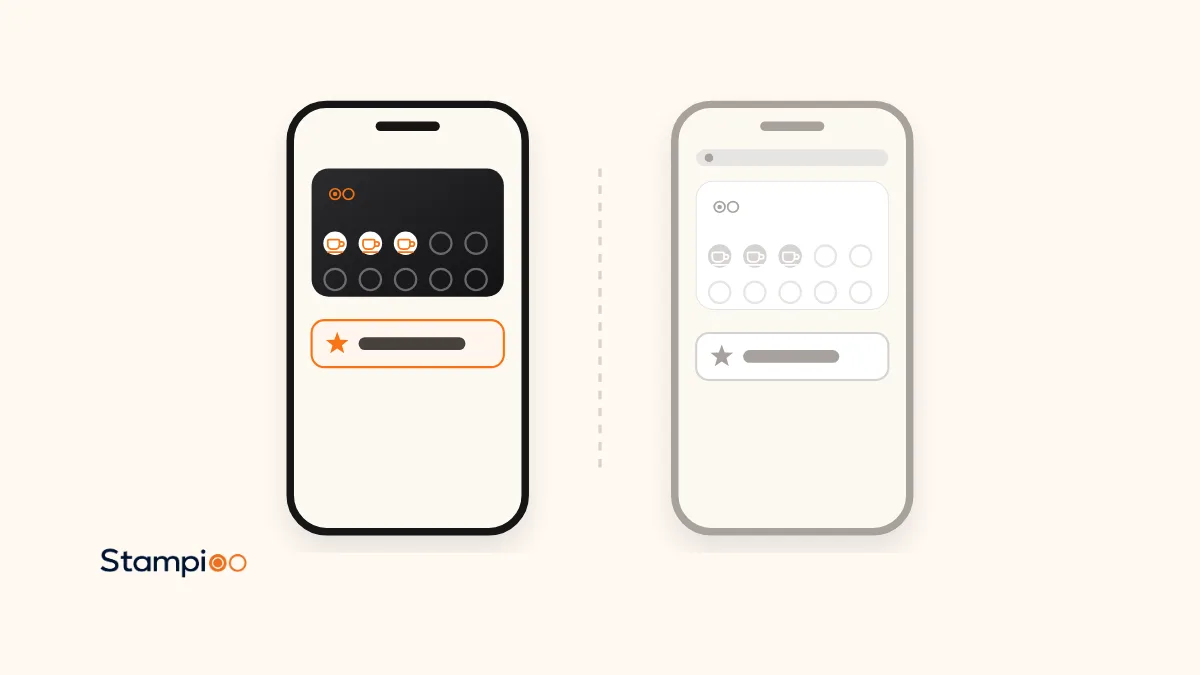
Comparison
Stampioo vs FaveCard (2026): Google reviews, Wallet cards and price comparedBoth let the loyalty card ask the customer for a Google review. The difference lies in where the request appears, when it is made and which plan you need. Here are the two line by line, checked on 12 November 2026, and the reasons Stampioo is our first choice for most businesses.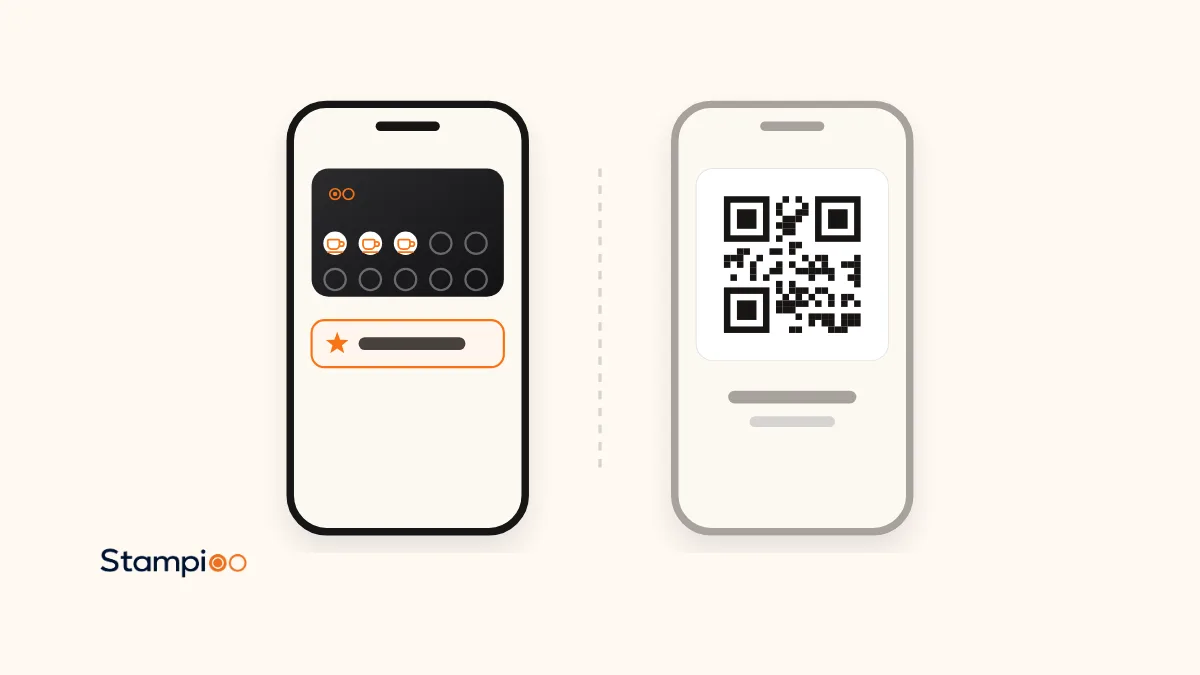
Comparison
Stampioo vs Stempely (2026): price, Wallet cards and Google reviews comparedStempely is free up to 25 customers and then costs $14.99 a month. Stampioo costs more, and is still our first choice for most businesses. Here are the differences line by line, including how the two ask for Google reviews, checked on 12 November 2026.
Launch your loyalty programme this week.
Start with a 30-day free trial.
Create my loyalty programmeSet up in minutes · Cancel anytime