
Best loyalty card for Google reviews (2026): 7 services that ask customers for a review
Several digital loyalty card services can now ask the customer for a Google review. They do it at different moments, through different channels and on different plans. Here are seven of them, checked on 12 November 2026, with Stampioo as our first choice and the reasons why.
In short
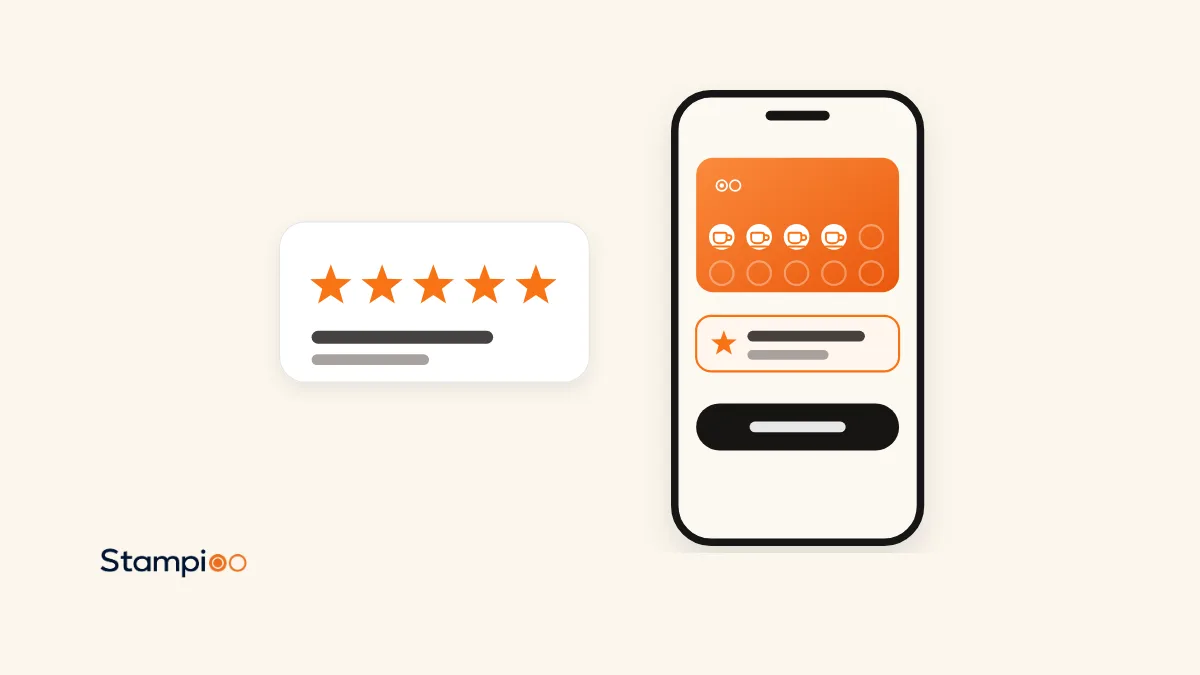
- Our first choice is Stampioo, which publishes this page, for two reasons: the request appears on the card itself in Apple Wallet and Google Wallet, and you choose whether it comes after a particular visit or after a redeemed reward. The link to your Google reviews is also on the card on every plan.
- Seven loyalty card services have a feature that asks the customer for a Google review: Stampioo, FaveCard, Stempely, StampyWallet, Perkstar, BonusQR and Boomerangme. Checked on their own websites on 12 November 2026.
- They differ on three points: when the question is asked (after a visit or after a reward), how it reaches the customer (on the Wallet card, in the browser, by email or by SMS) and which plan you need. Stempely is the cheapest. FaveCard, StampyWallet, Perkstar and BonusQR send email, and StampyWallet can also send SMS.
- Stamp Me and Square have no request in the loyalty card itself: Stamp Me has a link in its app, and Square sends email from a separate product.
See the Stampioo card in your own Wallet
Create a loyalty programme, print the QR code and save the card to your own phone. 30 days free, no card details.
Try free for 30 daysMany happy regulars never write a review. A loyalty card, which many people call a digital stamp card, knows when a customer has come back several times or has just received their reward. That is why several services have built a question about a Google review into the card. This page compares seven of them.
Who is writing: Stampioo. We make one of the services in the list and put it first, so read the ranking with that in mind. Everything about the other services comes from their own websites, read on 12 November 2026, and where a detail is not there we write that it is not stated. We have not registered accounts and tested every feature with real customers.
How we compared
- When the question is asked: after a visit, after a redeemed reward or at some other moment.
- How it reaches the customer: on the card in Wallet, in an app, in the browser, by email or by SMS.
- Which plan you need and what it costs, in the currency the supplier shows. Nothing has been converted.
- Whether the customer gets something for the review. Google does not allow businesses to offer anything in exchange for a review, so we note what each service itself says about it.
- Not assessed: how many reviews the feature produces. It cannot be checked from the outside.
Quick comparison
| Tool | When it asks | How it reaches the customer | Plan and price | Something for the review |
|---|---|---|---|---|
| Stampioo | After the visit or reward you choose | On the card in Apple Wallet and Google Wallet | Pro, €49/month. Link on the card on every plan | No |
| FaveCard | After a redeemed reward | Link on the card’s web page, and email if the customer has agreed to messages | Business, €49/month | Not stated |
| Stempely | After a redeemed reward, at most once every 90 days | In the Stempely app, or in the browser for customers with a Wallet card | Included. Free up to 25 customers, then $14.99/month | Not stated |
| StampyWallet | After the first reward or after the number of visits you choose, once per customer | Email or SMS. Otherwise a notification and a link on the back of the card | Growth, €40/month | No, according to the feature page |
| Perkstar | Not stated | Automatic emails | Growth, £30/month for one location | Not stated |
| BonusQR | After the visit you choose | Email and push notification | Premium, $79/month or $71 billed quarterly | Yes, according to the feature page: a stamp, points, cashback or a discount |
| Boomerangme | Not stated | Automatic requests, channel not stated | Business from $199/month | Not stated for the card feature |
The seven services, one by one
1. Stampioo: best overall by our criteria
This is our own service, and we put it first for two reasons: the request appears on the card itself in the customer’s Wallet, and you choose whether it comes after a particular visit or after a redeemed reward. The link to your Google reviews is also on the card on every plan. On Pro, the card asks the customer for a review after the visit or reward you choose, when staff scan the card. The request appears on the card in Apple Wallet or Google Wallet. The same card is asked at most once every 90 days and never again once the customer has gone on to Google or declined, and in the statistics you see how many were asked and how many went on. Pro costs €49 a month excluding VAT and covers five locations. Where it falls short: the request needs Pro, it does not go out as email or SMS, there is no free plan, and the number of reviews of Stampioo online is very small.
2. FaveCard: after a redeemed reward, on the web page and by email
FaveCard asks for a review once the customer has redeemed a reward. The request is a link on the card’s web page, and customers who have agreed to messages also get an email a couple of hours later. According to FaveCard, all customers are asked, with no selection. The feature is included in Business at €49 a month excluding VAT, and new accounts can try the paid features free for 30 days. Where it falls short: according to FaveCard the request appears on the card’s web page, and whether it also shows in Wallet is not stated. The request is made only after a redeemed reward, and the free plan has neither the request nor a Wallet card for new customers. The full comparison is in Stampioo vs FaveCard.
3. Stempely: included in the single plan
The German service Stempely asks straight after a redeemed reward, at most once every 90 days per customer, in its app or in the browser for customers who have the card in Wallet. On the back of the Wallet card there is always a link for writing a review. Everything is included in the single plan, which is free up to 25 customers and then costs $14.99 a month. Where it falls short: the question is only asked after a redeemed reward, and push notifications go to customers who use the Stempely app. The customer stamps the card themselves with the shop’s QR code, which suits some places but not all. The full comparison is in Stampioo or Stempely.
4. StampyWallet: email or SMS, once per customer
StampyWallet, whose website is available in French, English and Spanish, sends the request by email or SMS after the customer’s first reward, or after the number of visits you choose. It goes out once per customer, and the link opens your Google profile directly. If the customer has given neither an email address nor a phone number, the link is on the back of the card in Wallet, with a notification after the first reward. According to the feature page, nothing is given in exchange. The feature is included in Growth at €40 a month, with 200 SMS a month, and the trial is 30 days. Where it falls short: the entry plan Essential at €20 does not have the request, and it goes out only once per customer, so anyone who does not write the first time is not asked again.
5. Perkstar: automatic emails on Growth
Perkstar, whose pricing page showed prices in pounds when we read it, describes the feature as automatic emails that invite customers to review the business on Google, where the customer chooses whether to write. It is on the Growth plan at £30 a month for one location. Starter costs £15 and Scale £65, and the trial is 7 days with no card details. Where it falls short: the pricing page does not state when the email is sent, the feature is not included in Starter, and the trial is short.
6. BonusQR: an invitation, and a reward for the review
BonusQR invites the customer by email and push notification after the visit you choose. The feature is available only on Premium, which costs $79 a month or $71 a month billed quarterly. According to BonusQR’s feature page, the customer can get a stamp, points, cashback or a discount once the review has been published. BonusQR is the only service in the list that itself describes a reward for the review, so if you do not want to give anything in exchange, another service suits you better. The full comparison is in Stampioo vs BonusQR.
7. Boomerangme: part of a larger platform
Boomerangme calls the feature Feedback collection: automatic requests that are set up once. The feature page does not state when the request is sent or through which channel. Boomerangme also has a separate service with a QR code at the table and a prize wheel for everyone who scans, and the pages do not state whether it is connected to the card’s feature. Business costs from $199 a month, with a 14-day trial. Where it falls short for a small place: the price from $199 a month, and many features that a small café may not use. The full comparison is in Stampioo or Boomerangme.
Services without a request in the card
Four services that are often mentioned in this context had no automatic request in the loyalty card itself on 12 November 2026. Stamp Me has a link to a review page on the back of the card in its app, but no automatic request is stated. With Square Marketing, a separate subscription from £9 a month, Square can send automatic emails after a purchase asking for a Google review. The feature is not listed on the Square Loyalty page. Loopy Loyalty and PassKit state no Google reviews feature on their websites.
Our pick: Stampioo
For most cafés, salons and restaurants, Stampioo is our first choice. The request appears on the card itself in Apple Wallet and Google Wallet, rather than in an email or on a web page, and you choose for yourself whether it comes after a particular visit or after a redeemed reward. The same card is asked at most once every 90 days, and the link to your Google reviews is on the card even on the cheapest plan. We show what it looks like for the customer on the page about Google reviews through the loyalty card. The other services are better choices in the situations the list below describes.
How to choose
- The question should appear on the card in the customer’s Wallet, and you want to choose visit or reward: Stampioo.
- You want to start at no cost: Stempely, up to 25 customers. FaveCard’s free plan has no request.
- You want the question to go out as an email: FaveCard, StampyWallet, Perkstar or BonusQR. StampyWallet also has SMS.
- You need a till integration and many card types: Boomerangme.
- A link on the card is enough, with no automatic request: Stampioo has it on every plan, and Stempely and Stamp Me also have a link.
Try the Stampioo card in your own Wallet
Create a loyalty programme, connect your Google profile and save the card on your phone. 30 days free, no card details.
Try free for 30 daysFrequently asked questions
Which loyalty card is best for asking for Google reviews?
Our first choice is Stampioo, and it is our own service, so bear that in mind. The reasons can be checked: the request appears on the loyalty card itself in Apple Wallet and Google Wallet, and you choose whether it comes after a particular visit or after a redeemed reward. The same card is asked at most once every 90 days, and the link to your Google reviews is on the card on every plan. Stempely is the cheapest, and FaveCard, StampyWallet, Perkstar and BonusQR send the request by email.
Which loyalty cards can ask customers for Google reviews?
Seven services had such a feature when we read their websites on 12 November 2026: Stampioo, FaveCard, Stempely, StampyWallet, Perkstar, BonusQR and Boomerangme. Stamp Me has a link to a review page in its app but no automatic request, and Square sends requests by email from the separate product Square Marketing.
When do the services ask for a review?
Either after a certain number of visits or after a redeemed reward. FaveCard and Stempely ask after a redeemed reward. Stampioo and StampyWallet let you choose between visits and a reward, and BonusQR asks after the visit you choose. Perkstar and Boomerangme do not state the moment on the pages we have read.
What does it cost to have the card ask for reviews?
Stempely has the feature in its single plan, which is free up to 25 customers and then costs $14.99 a month. Perkstar Growth costs £30, StampyWallet Growth €40, FaveCard Business €49, Stampioo Pro €49, BonusQR Premium $79 and Boomerangme Business from $199 a month, according to the pricing pages on 12 November 2026. Nothing has been converted between currencies. At Stampioo the link to Google reviews is on the card on every plan, from €29 a month.
Does the customer need an app to be asked?
Not with the services that state the channel. At Stampioo the request appears on the loyalty card, which many people call a digital stamp card, in Apple Wallet or Google Wallet. FaveCard shows it on the card’s web page and Stempely in its app or in the browser. StampyWallet sends email or SMS and Perkstar email. BonusQR sends email and a push notification, and Boomerangme does not state the channel.
Does any of the services promise a particular number of reviews?
Stampioo promises no number, and FaveCard says the same on its page. How many people write a review depends on your customers and the visit. What a loyalty card can do is make sure the question actually gets asked.
Can I see which customers have written a review?
No, not in Stampioo. Google does not say who writes a review. You see how many cards were asked and how many went on to Google, but never which customers they are. You read the reviews themselves in your business profile on Google.
Checked on 12 November 2026 against the following pages.
- stampioo.com/pricing
- stampioo.com/features/google-reviews
- favecard.co/sv/features/google-reviews
- favecard.co/sv/pricing
- stempely.com/features
- stempely.com/pricing
- stampywallet.com/en/features/google-reviews
- stampywallet.com/en/pricing
- perkstar.co.uk/pricing
- bonusqr.com/pricing
- bonusqr.com/loyalty-feature/maps-reviews
- boomerangme.com: Feedback collection
- boomerangme.com: Review Policy Compliance
- boomerangme.com/pricing
- help.stampme.com: the Leave a Review link on the back of the card
- squareup.com/gb/en/software/marketing
- Google: tips for getting more reviews
Keep reading
Launch your loyalty programme this week.
Start with a 30-day free trial.
Create my loyalty programmeSet up in minutes · Cancel anytime